Learn More
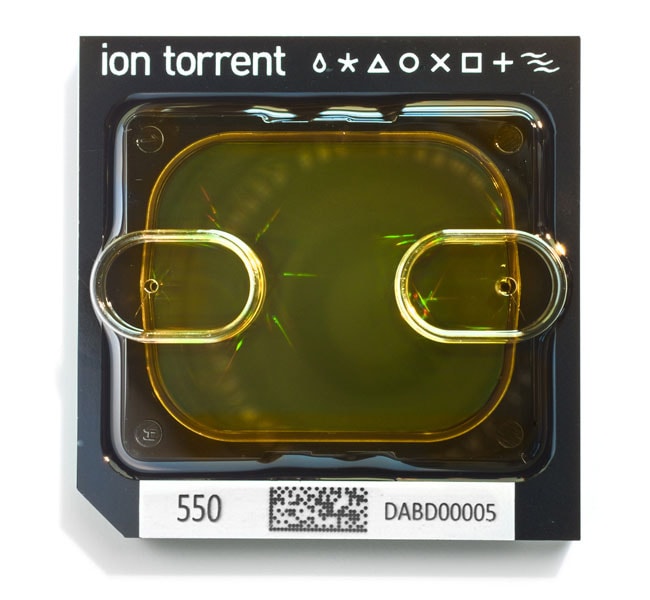
Ion Torrent™ Ion 550™ Chip Kit


Description
The Ion 550 Chip Kit contains four (Cat. No. A34537) or eight (Cat. No. A34538) barcoded chips for sample tracking and sequencing with the Ion GeneStudio S5 Plus, the Ion GeneStudio S5 Prime, and Ion S5 XL sequencing systems. The Ion 550 Chip generates 100–130 million sequencing reads by electronically detecting polymerase-driven base incorporation without the use of fluorescence. By eliminating the use of an optical detection system, this advance in next-generation sequencing technology allows for rapid sequencing times of as little as 2.5 hours for 200 bp sequencing.
The Ion 550 Chip Kit offers:
- Support for a variety of research applications, including sequencing of up to four human exomes, cell-free nucleic acid applications, transcriptome profiling, and targeted resequencing of gene panels
- A rapid run-time of as little as 2.5 hours for 200 bp sequencing
- Sample tracking functionality from an integrated barcode
Notes:
The Ion 550 Chip is only compatible with the Ion GeneStudio S5 Plus, Ion GeneStudio S5 Prime, and Ion S5 XL systems.
Use this chip with the Ion 550 Kit—Chef for automated template preparation and chip loading.
Related Links:
Specifications
Specifications
| For Use With (Application) | Comparative Sequencing (Germline Mutations - 50:50) |
| Quantity | 8 Chips |
| Product Line | Ion Torrent |
| For Use With (Equipment) | Ion GeneStudio S5 Plus, Ion GeneStudio S5 Prime, Ion S5 XL Sequencing System |
| Product Type | Chip Kit |
| Shipping Condition | Room Temperature |
| Content And Storage | Store at room temperature. |
Frequently Asked Questions (FAQs)
- The instrument may have encountered an error. We recommend recording the error shown on the instrument display, then tapping OK. For further assistance, contact Technical Support at techsupport@thermofisher.com.
- A consumable may have been improperly loaded. We recommend ensuring that all consumables are correctly loaded. For instructions, see the user guide for your templating kit. For further assistance, contact Technical Support at techsupport@thermofisher.com.
- An obstruction may be present on or around the door mechanism. We recommend removing the obstruction blocking the door, then resuming normal instrument operation.
- The instument may be experiencing a hardware or software error. We recommend contacting Technical Support at techsupport@thermofisher.com.C8
Multiple causes are possible. We recommend powering off the instrument, waiting for 30 secs and then powering on the instrument. If you continue to experience the issue, contact Technical Support at techsupport@thermofisher.com.
Remove and sequence chips as soon as possible after the Ion Chef System finishes loading them. If you cannot sequence a loaded chip immediately, store it in a chip storage container at 4 degrees C until you are ready to run it (up to 24 hours maximum).
This is because the new chip surface and the way the instrument reads the Ion 550 chip are different from the Ion 540/530/520/510 chips.